Friday, April 19, 2013

Run Android Application On Browser, Run Whats App on Windows or Linux Computer

Now you can run any Android Application on your computer using Internet Browser

How To Setup:

1) Download any Android App e.g. with .apk extension, I take a Whats App for Android
Download from here whatsapp for android


 2) Create Your Account on www.manymo.com


 3) After Creating Your account verify the account and login into your manymo.com and then click "launch an Android emulator"


 4) Launch the emulator, Upload the app running directly WhatsApp APK you downloaded Before, But dont forget to click here Click Launch With: App


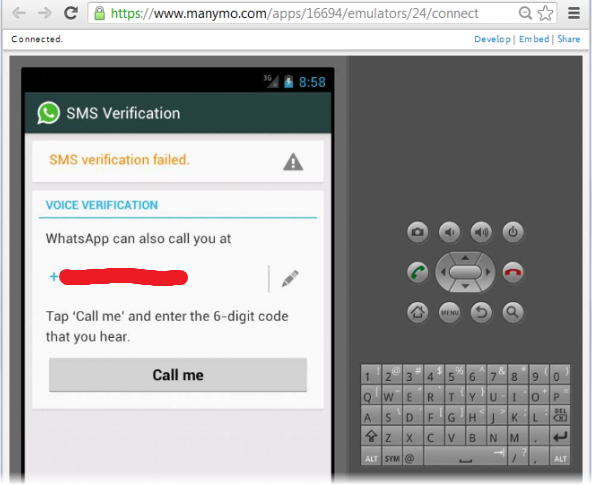
 5) After Clicking on App Browse your Whats App.apk File and Click Continue, Another window Will open and you can get your whats app Interface and proceed your whats app instruction and use it.


Wednesday, March 20, 2013

What Is GodMode and How To Enable It In Windows XP/7/8

Windows has a hidden “GoD Mode” that you can enable which gives you access to every Control Panel tool on a single page.

How To Use It:- 

1) Create a new folder.                     
 
2) Rename the folder to
GodMode.{ED7BA470-8E54-465E-825C-99712043E01C}
           NOTE: *If you can change the “GodMode” text, but the following period and code number are essential 

3) The folder icon will change — double click it to show the GodMode window:


The trick appears to work on both the 32 bit and 64-bit of Windows XP/7/8 Versions, GodMode has made it easy to access all options in one window, eliminating all the hassle of searching for files and options.
 

Monday, December 24, 2012

Blackberry Secret Codes

In that Post I will share you a Blackberry Secret Codes for those who Using Blackberry Smartphones, Here are some information secret codes that you've probably never know. These codes may work in an emergency or even want to know the content or what was done (log) will be indicated by displaying the log report.

 * Not all types of Blackberry support the code, but most of can supported * 

Hidden Codes (HOLD ALT KEY)

1) ALT+NMLL
Changes the signal meter from the standard bars to a decibel display, entering the code again will revert back to the bars

2) ALT+LSHIFT+H
The Techinical information menu, if you are trying to get support or help you will probably need the information displayed here

3) ALT+VALD
Validates the address book, can only be used in the address book

4) ALT+RBLD
Forces the address book to rebuild, can only be used in the address book

5) ALT+RBVS
Used in the browser to view the page source code, useful if you are developing applications

6) ALT+LGLG
Displays the devices event log, if you are struggling to get BES/BIS working the information here can be very useful

7) ALT+SHIFT+DEL
Soft reset a blackberry device, this is not a format or hard reset. Just a reboot

8) *#06#
Displays the IMEI (home screen)

Smart System Codes (Type these in a message box when u compose a mail, type a code give a space its appear)

1) MYVER
Displays the Software Version and Model Number of the device

2) LD
Local Date is displayed

3) LT
Local Time is displayed

4) MYPIN
Device PIN is displayed

5) MYSIQ
Displays the device owner information


HOPE ITS HELPFUL FOR YOU GUYS.....